How to tell if your phone screen needs repair
Cracks, dead zones, flickering and lines: which screen faults need attention and what you can check first.

Cracked screen, tired battery or a phone that won't charge? We repair all mobile makes and models at our office on Desborough Road, High Wycombe.
Call 01494 474084 WhatsApp us Apple iPhone
 Samsung Galaxy
 Google Pixel
 OnePlus
 Motorola
 Nokia
 Sony XperiaHuaweiHonorXiaomiRedmiPocoOppoRealmeVivoNothing PhoneAlcatelTCLZTEAsusDoroFairphoneCATAnd many more
Most of us only realise how much we rely on our phones when one stops working. Banking, work emails, family group chats, photos, boarding passes and two-factor login codes all live on that one device. When the screen shatters or the battery won't last until lunchtime, you want it sorted by someone local you can actually talk to.
At Moonlit Travels in High Wycombe we offer mobile phone repairs for people who live and work in and around the town. Whether you're a student whose screen has stopped responding, a tradesperson whose phone won't charge on site, or a parent whose child has dropped their phone in the bath, you can call us, message us on WhatsApp or simply come into the office at 122 Desborough Rd and explain what's wrong.
A broken phone doesn't always mean buying a new one. The parts that fail most often, such as screens, batteries and charging ports, are usually replaceable, and the rest of the phone is frequently in perfectly good working order. Repairing it can save you the cost of a new handset, spare you the hassle of setting up a new device, and keep a working phone out of landfill. Where a repair genuinely isn't worthwhile, we'll tell you so rather than recommend work that doesn't make sense.
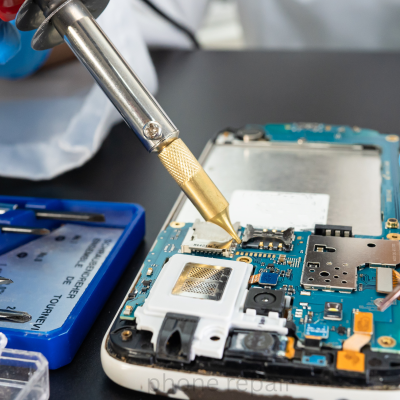
Whatever phone you have, get in touch with our High Wycombe office. We fix all mobile phone makes and models, from the latest flagship handsets to older phones you've had for years.
The quickest way to get an answer is to tell us three things: the make of your phone, the model, and what's gone wrong. If you're not sure of the exact model, you can usually find it in your phone's settings under "About phone" or "General", or simply bring the phone in and we'll check it with you.
Because parts and repair options differ from one phone to the next, we'll confirm what's possible for your particular handset before any work goes ahead. That way you know exactly where you stand from the start.
These are the repairs we're asked about most. Each one explains the signs to look out for and what you can safely check yourself, with a link to a fuller guide if you want more detail.
A damaged screen is the most common reason people need their phone fixed. Sometimes it's obvious, with a spider-web of cracks after a drop on the pavement. Other times the glass looks fine but the display underneath has failed, showing coloured lines, black patches, green tints or a screen that flickers or stays dark while the phone is clearly still on.
It's tempting to keep using a cracked phone, but small cracks tend to spread, sharp glass can cut fingers, and gaps in the screen let in dust and moisture that can damage other parts. Screen replacement on a modern phone involves careful work with adhesives, fragile cables and sensors such as face unlock and proximity sensors, so it's worth having it done properly. After a screen repair we test touch response and display before the phone is handed back.
Not sure whether yours needs replacing? Read how to tell if your phone screen needs repair.
Every phone battery wears out over time. After a couple of years of daily charging, most batteries hold noticeably less charge than they did when new. The good news is that a tired battery is usually one of the simplest ways to bring an older phone back to life.
A swollen battery needs attention straight away. If your screen is lifting, the back is bulging or the phone no longer sits flat on a table, stop charging it and get in touch. Don't press on it or try to open it yourself.
Battery not lasting the day? See why your phone battery may be draining so quickly.
A phone that won't charge properly is frustrating and, if it isn't dealt with, will eventually leave you with a phone that won't work at all. Charging faults have several possible causes, and the fix depends on which one it is.
Before you come in, try a different cable, plug and wall socket, as a worn cable is a common culprit. Pocket lint packed into the port is another surprisingly frequent cause. Please don't dig into the port with pins or anything metal, as it's easy to damage the contacts. If the phone still won't charge reliably, we can check whether the problem is the port, the battery or something on the phone's board.
Work through the basics in phone not charging: common causes and what to try, or read about charging port repair symptoms and options.
Phones end up in sinks, baths, puddles and pint glasses more often than anyone would like. Even phones sold as water-resistant can be damaged, because seals weaken with age and after drops. Liquid damage doesn't always show immediately: corrosion can build up inside over days, so a phone that seems fine after a dunk can fail later.
We'll be straightforward with you: not every liquid-damaged phone can be saved, and how well a phone recovers depends on what it was dropped in, how long it was wet and what happened afterwards. What we can promise is an honest assessment and a clear explanation of your options. The sooner you bring it in, the better the chances usually are.
Step-by-step advice: what to do if your phone has water damage.
A phone that won't switch on can look like the end of the road, but it often isn't. The cause might be as simple as a fully drained battery or a software crash, or it might be a failed battery, a faulty charging port, a damaged screen that's actually on but showing nothing, or a problem on the main board.
If none of that helps, a proper diagnosis is the next step. Working out the actual fault before deciding anything means you won't replace a phone that only needed a battery, or pay for a repair that won't solve the problem.
More checks in our guide: phone won't turn on troubleshooting steps.
These faults are easy to put up with for a while, until you need to take a photo of a document, join a video call or hear someone on speakerphone.
A cracked camera lens cover causes hazy or blurry photos and flare. A camera that shows a black screen, won't focus or makes a rattling or buzzing noise may have a faulty module. We can check whether the lens cover or the camera itself is at fault.
Quiet, crackling or distorted sound is often caused by debris in the speaker grille or by liquid damage, but it can also be a failed speaker. If you can only hear calls on speakerphone, the earpiece speaker is the likely culprit.
If people say you sound muffled or can't hear you at all, check that your case isn't covering a microphone hole and that a Bluetooth headset isn't connected. If the problem continues, the microphone or its connection may need attention.
Checks to try at home: phone speaker or microphone not working.
Not every phone fault is physical. Apps that crash, a phone that freezes or restarts on its own, an update that won't install, storage that's always full, or a handset that's become painfully slow can all point to software problems.
Some software problems can be solved with troubleshooting and settings changes; others need a reset, which can erase the phone. We'll always explain what's involved and talk to you before doing anything that could affect your data. Some symptoms that look like software, such as random shutdowns, can actually be caused by a worn battery, which is another reason diagnosis matters.
Before any repair, it's worth reading how to protect your data before a phone repair.
These are the faults we're asked about most often. If your problem isn't listed here, get in touch anyway and describe what's happening.
Shattered glass, dead spots, flickering, lines or a black display. Signs your screen needs repair.
Fast drain, sudden shutdowns or a battery that no longer holds charge. Why batteries drain quickly.
Phones that won't charge, charge slowly or only charge at an angle. What to try when your phone won't charge.
Drops in the sink, rain, spilt drinks and other accidents. What to do after water damage.
No response, a boot loop or stuck on the logo. Troubleshooting a phone that won't turn on.
Blurry photos, a cracked lens, a black camera screen or focus that won't lock. More on camera faults.
Crackling, muffled or no sound on calls, music or video. Speaker and microphone checks.
Callers can't hear you, or voice notes and videos record no sound.
Buttons that are stuck, loose, unresponsive or pressing themselves.
Freezing, crashing, failed updates and a phone that has slowed right down. More on software problems.
No service, dropped calls or a SIM that isn't recognised.
A phone that gets uncomfortably hot during normal use or while charging. Overheating causes and safety steps.
Cracked back glass, bent frames and damaged casings.
Tell us the make, model and what's gone wrong. Call, send a WhatsApp message or pop into our High Wycombe office on Desborough Road.
Choosing who to trust with your phone matters. It holds your photos, messages and accounts, and you need it back working properly. Here's what you can expect when you bring it to us.
We're at 122 Desborough Rd, High Wycombe HP11 2PU. You can come in, explain the problem face to face and ask questions, rather than posting your phone away and waiting to hear back.
We're open Monday to Saturday from 10:00 AM to 8:00 PM and on Sunday from 10:30 AM to 7:00 PM, so you can drop in after work or at the weekend.
You don't need to hunt for a specialist for your particular brand. We deal with all mobile makes and models, and we'll confirm the options for your handset before any work begins.
We explain what we've found in plain English, tell you what we recommend and why, and wait for your go-ahead before carrying out a repair. If a repair isn't worth doing, we'll say so.
We look for the actual cause of the problem rather than guessing. A phone that won't charge might need a port, a battery or neither, and finding out first saves you paying for the wrong fix.
After a repair, we check that the phone works as it should, including the part that was repaired, so you're not discovering problems after you've left.
Call us on 01494 474084 or 07448 425564, message us on WhatsApp, or email info@moonlittravels.co.uk.
Call, WhatsApp, email or visit our Desborough Road office to arrange your repair.
Tell us your phone's make and model, what's happening and when it started.
We examine the phone to find the cause of the fault, not just the symptom.
We explain what we found and what we recommend, in plain English.
No repair goes ahead until you've agreed to it.
We carry out the agreed repair carefully.
We check the repaired phone works properly before it's handed back.
Pick up your phone from our High Wycombe office.
Comparing repairers? Read what to ask before booking a mobile phone repair in High Wycombe.
You can bring your phone to our office at 122 Desborough Rd, High Wycombe HP11 2PU. We're open Monday to Saturday 10:00 AM to 8:00 PM and Sunday 10:30 AM to 7:00 PM. If you'd like to talk it through first, call 01494 474084 or message us on WhatsApp.
We deal with all mobile phone makes and models. Because parts availability varies from phone to phone, the best thing to do is tell us the make, model and fault when you get in touch, and we'll let you know your options.
It depends on the fault, the phone and whether the parts are readily available. A straightforward repair can be much quicker than one that needs investigating. Once we've looked at your phone, we'll give you an idea of timing before any work goes ahead.
Yes. We look at the phone first, explain what we've found and recommend a repair. Nothing is carried out until you've agreed to it. If you'd like to know whether there is a charge for diagnosis on your particular phone, just ask when you contact us.
Often it is. Screens and batteries are the parts that most commonly wear out or get damaged, and the rest of the phone is frequently in good working order. We'll give you an honest view of whether a repair makes sense for your phone.
Try a different cable, plug and wall socket first, and check the charging port for lint or debris without poking metal objects into it. If it still won't charge, or only charges when the cable is held at an angle, bring it in so we can find out whether it's the port, the battery or something else.
Many repairs don't affect stored data, but we can't guarantee it in every case, especially with liquid damage or a phone that won't switch on. Back up your phone before you bring it in whenever you can.
Practical advice on common phone problems: what's safe to check yourself, what to avoid, and when it's worth getting a professional opinion.
Cracks, dead zones, flickering and lines: which screen faults need attention and what you can check first.
Battery health, background apps, temperature and the signs a worn battery needs checking.
Safe checks on cables, plugs and settings before you assume the worst.
Loose connections, lint and corrosion, why metal tools are a bad idea, and how ports are repaired.
The first steps after a drop in water, what to avoid, and why a phone can fail days later.
Charging checks, forced restarts and the clues that point to the real fault.
Settings, Bluetooth, blocked grilles and the tests that separate software from hardware faults.
Questions about quotes, parts, your data, warranty terms and timing.
What makes phones hot, how to cool one safely, and the warning signs to stop using it.
Backups, chat history, two-factor codes and what access a repairer really needs.
Phone repairs are handled at our office on Desborough Road in High Wycombe. You're welcome to walk in during opening hours. If you're travelling in from outside the town, it's worth calling first so we can talk through the fault before you make the trip.
122 Desborough Rd,
High Wycombe HP11 2PU
While your phone is with us, it's worth knowing what else we can help with in the same visit. We handle Western Union and Ria money transfers, arrange cargo and parcel shipping including sea and air cargo to Pakistan and cargo to Kashmir, book airline tickets and Umrah packages, and help with NADRA card applications.
Need help with your phone? Contact us to discuss your repair in High Wycombe. Whatever the make or model, tell us what's wrong and we'll explain your options.
